Sales pipeline with tasks and documents
This page is about a specific work problem: running sales so that every deal keeps its next step, owner, documents, and conversations in one place, while the manager can see at any moment where the money is and what is stuck. Below is how this comes together in LadVen OS from ready-made building blocks and what the team will see.
What problem it solves
When deals live in a spreadsheet while tasks and documents sit somewhere else, the most important thing gets lost: who has to do what next on a specific deal, and which stage it is at. Sales reps forget to call back, documents get hunted down in email, and the manager learns about a problem only after the deal has already gone cold.
This scenario closes that gap: every deal moves through a clear pipeline, always has an owner and a next step, and its related tasks and documents open straight from the deal card.
How it works in LadVen OS
The scenario is assembled from blocks that already work together:
- Sales pipeline — stages from the first inquiry to the win, with required fields and checks at transitions.
- Deals — a card with owner, amount, due date, and next step; a board as a list or a kanban.
- Tasks — for each deal you set tasks (call, prepare a quote, get the contract approved) with an assignee and a due date.
- Documents — invoices, contracts, and quotes are stored together with the deal, not in email.
- Automation — a robot can assign the owner itself, create a task when the deal enters a stage, and send a templated email.
- Control — the dashboard and the "attention" filter show the manager what is overdue and which deals have no next step.
What is in the demo
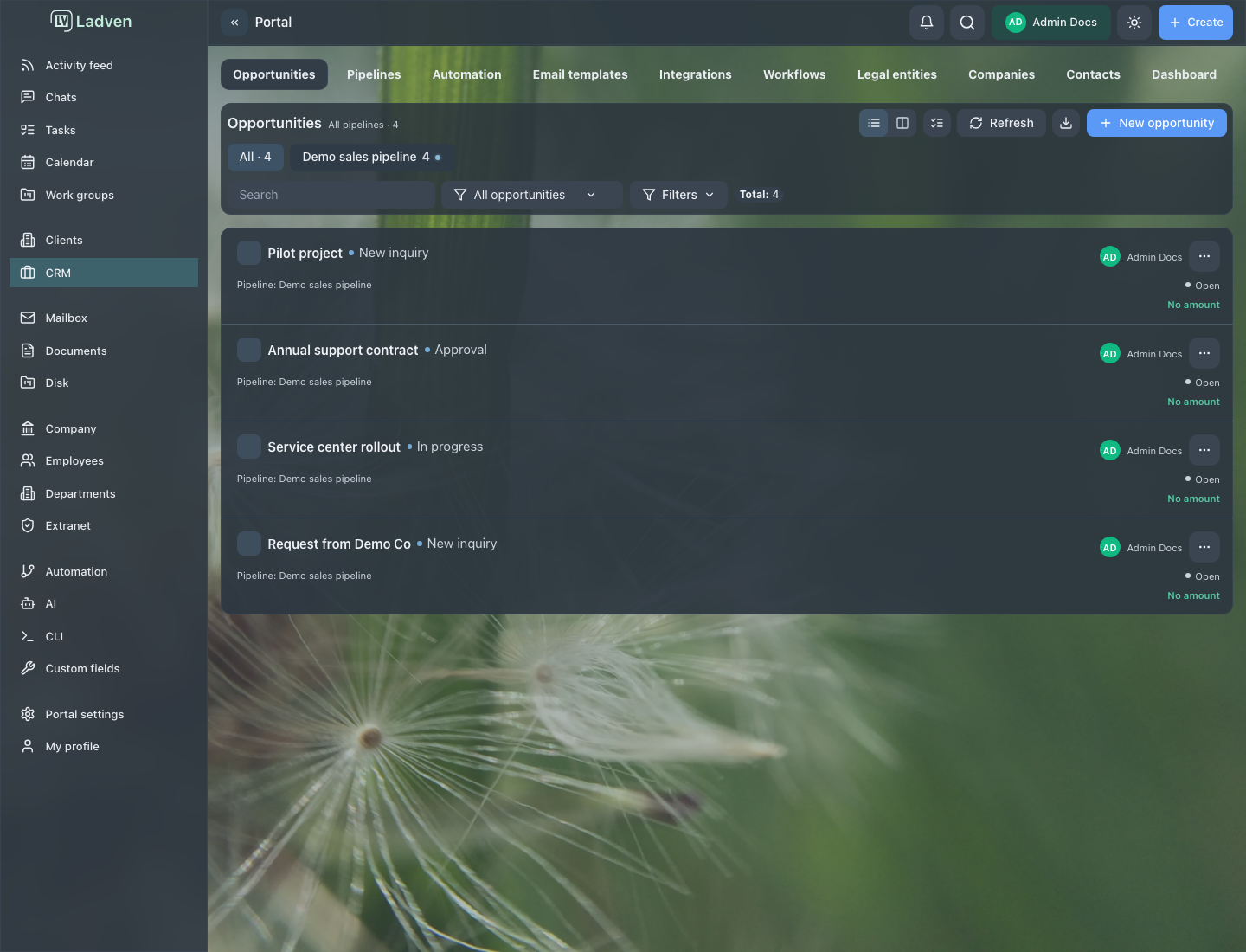
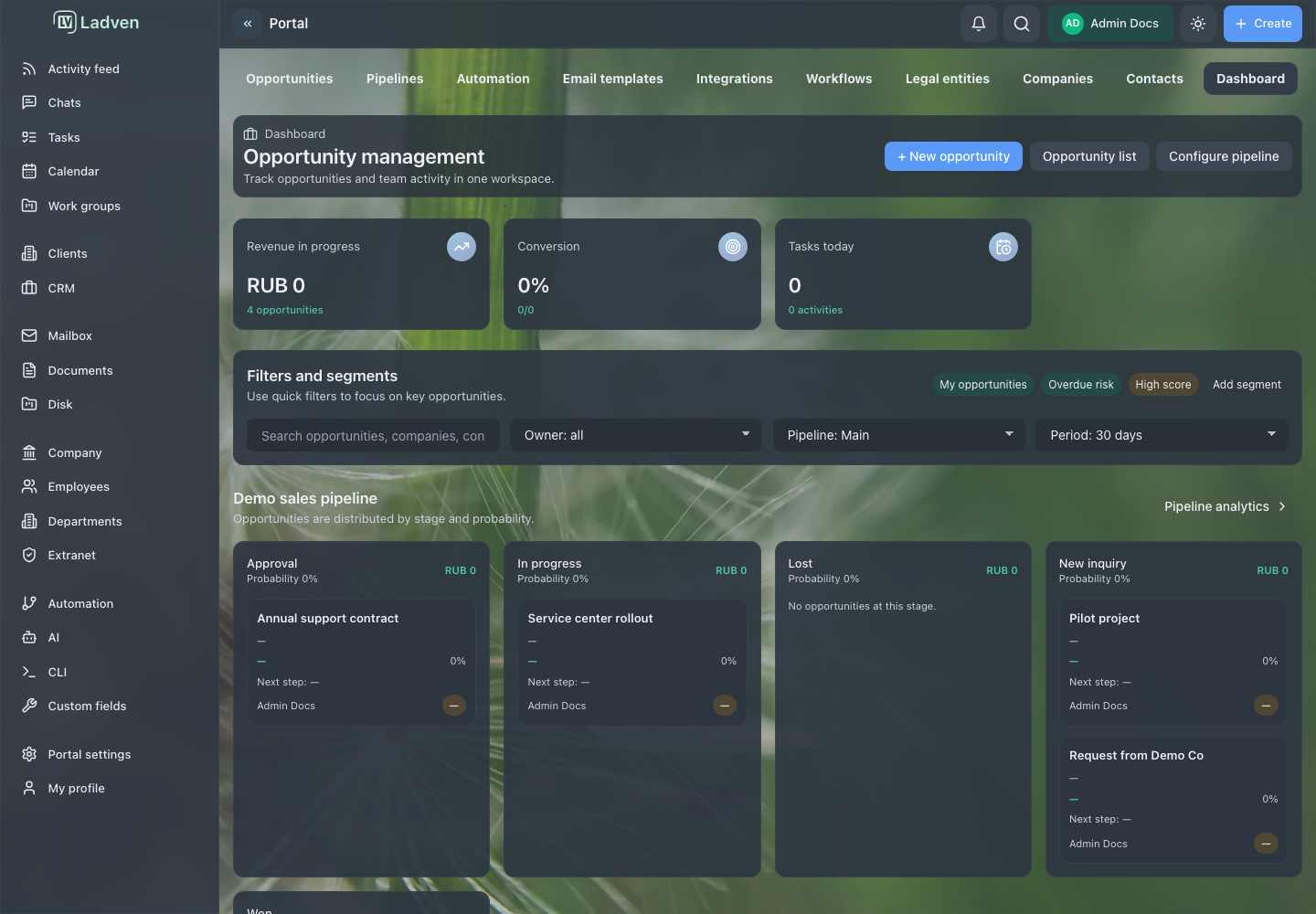
The demo setup for this scenario contains a ready-made "Demo sales" pipeline with stages, several deals across different stages, and deals with owners, amounts, and a next step. This is the same scene as in the screenshots below: it shows how the board and the dashboard look in real work, with no marketing illustrations.
Deals board
The deals board shows the whole pipeline: deals by stage, owners, amounts, and where a deal has stalled. A rep runs their own deals, moves them through the stages, and keeps the next step in place; the manager sees the overall picture.
Control and metrics
The dashboard brings the process picture together: the amount of deals in progress, conversion, tasks due today, and deals by stage. This is the manager's workspace — from here you can see what is going to plan and what needs intervention.
What the manager gets
- every deal has an owner and a next step — nothing is left hanging;
- tasks and documents are tied to the deal, not scattered across email and chats;
- you can see where the money is in the process and what is stuck, without manual reports;
- repetitive actions (assign, create a task, send an email) are handled by automation.
Where to start
- Deals and pipeline — the board, the deal card, creating and closing.
- Pipelines — stages, required fields, and checks at transitions.
- Tasks — setting, running, and controlling tasks on a deal.
- Documents — storing contracts and invoices together with the deal.
- CRM robots — automating assignments, tasks, and emails.
- Manager control and dashboard — regular control of the process.
Request a demo
Want to see this scenario on a ready demo portal with this pipeline, deals, and tasks? Request a demo — we will show a stand configured for sales and help move your process onto it.