Sales team task management
This page is about the working job of a sales manager: making sure every team member can see what they are doing right now, which deals have no next step, and where deadlines are slipping. Below is how this comes together in LadVen OS and what your team will see.
What problem it solves
In a sales team, work gets lost between deals and tasks: a sales rep is negotiating but forgets to call back; the manager can't see the workload and finds out about a failure after the fact. Stand-ups turn into "who is working on what" instead of results.
This scenario closes that gap: every deal runs through a pipeline, tasks with an owner and a deadline are created on it, and the manager can see workload, overdue items, and deals without a next step at any moment — without manual reports.
How it works in LadVen OS
The scenario is built from blocks that already work together:
- Sales pipeline — deal stages from first contact to win.
- Tasks on the deal — make a call, send a quote, approve the contract, each with an owner and a deadline.
- Owner and next step — every deal always has someone running it and a clear next action.
- Workload control — you can see how many tasks and deals each sales rep has.
- Automation — a robot creates a task when a deal enters a stage and reminds about overdue items.
- Dashboard — a team summary: deals in progress, conversion, tasks for today.
What's in the demo
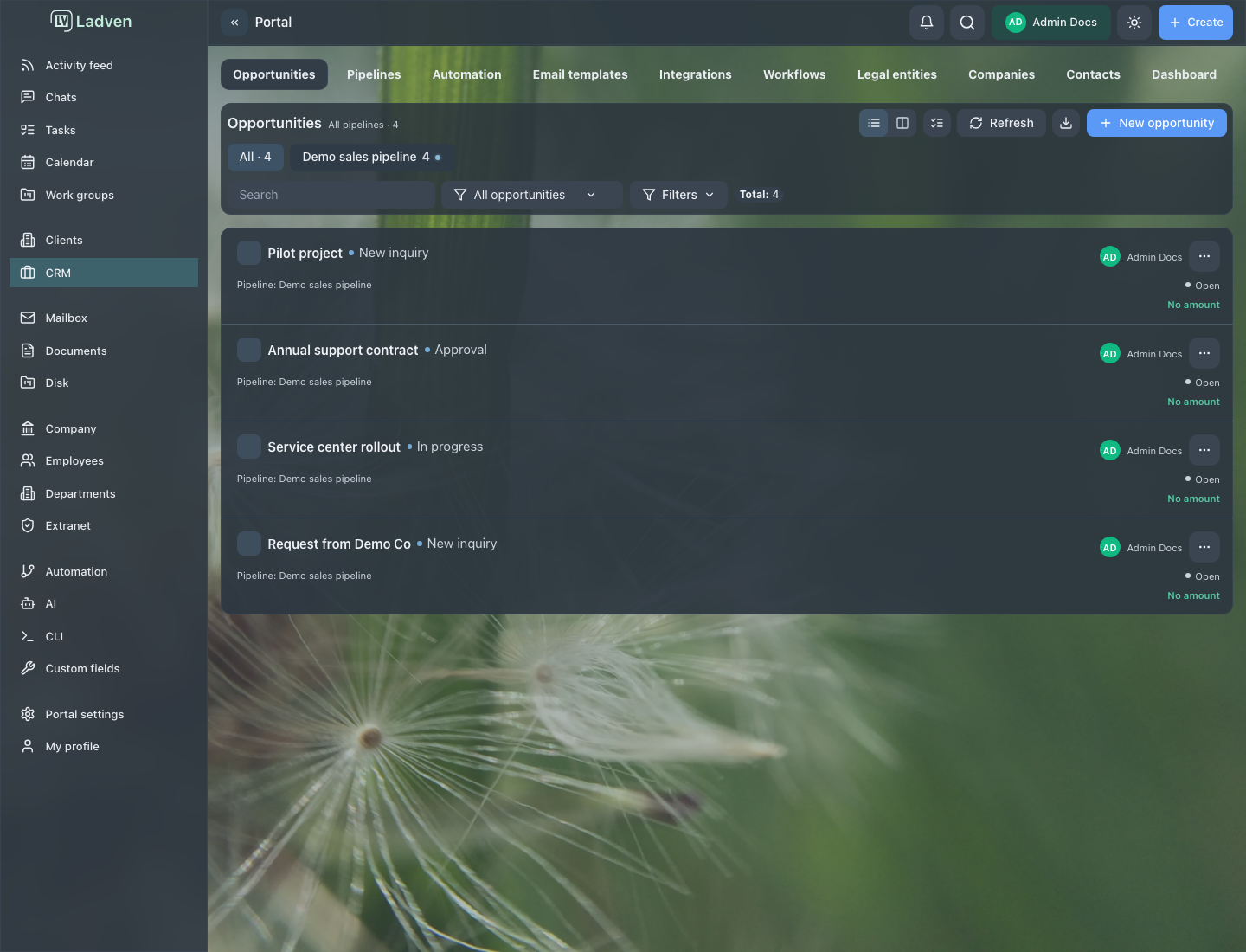
The demo setup contains the "Demo sales" pipeline with stages and deals assigned to sales reps; the deals have owners, amounts, and a next step. This is the same scene shown in the screenshots below: it shows how a manager runs a sales team in real work.
Deal board and tasks
The deal board shows all of the team's work: deals by stage, owners, and where a deal is stuck. A sales rep runs their own deals and the tasks on them, while the manager sees the overall picture and quickly finds deals without a next step.
Control and workload
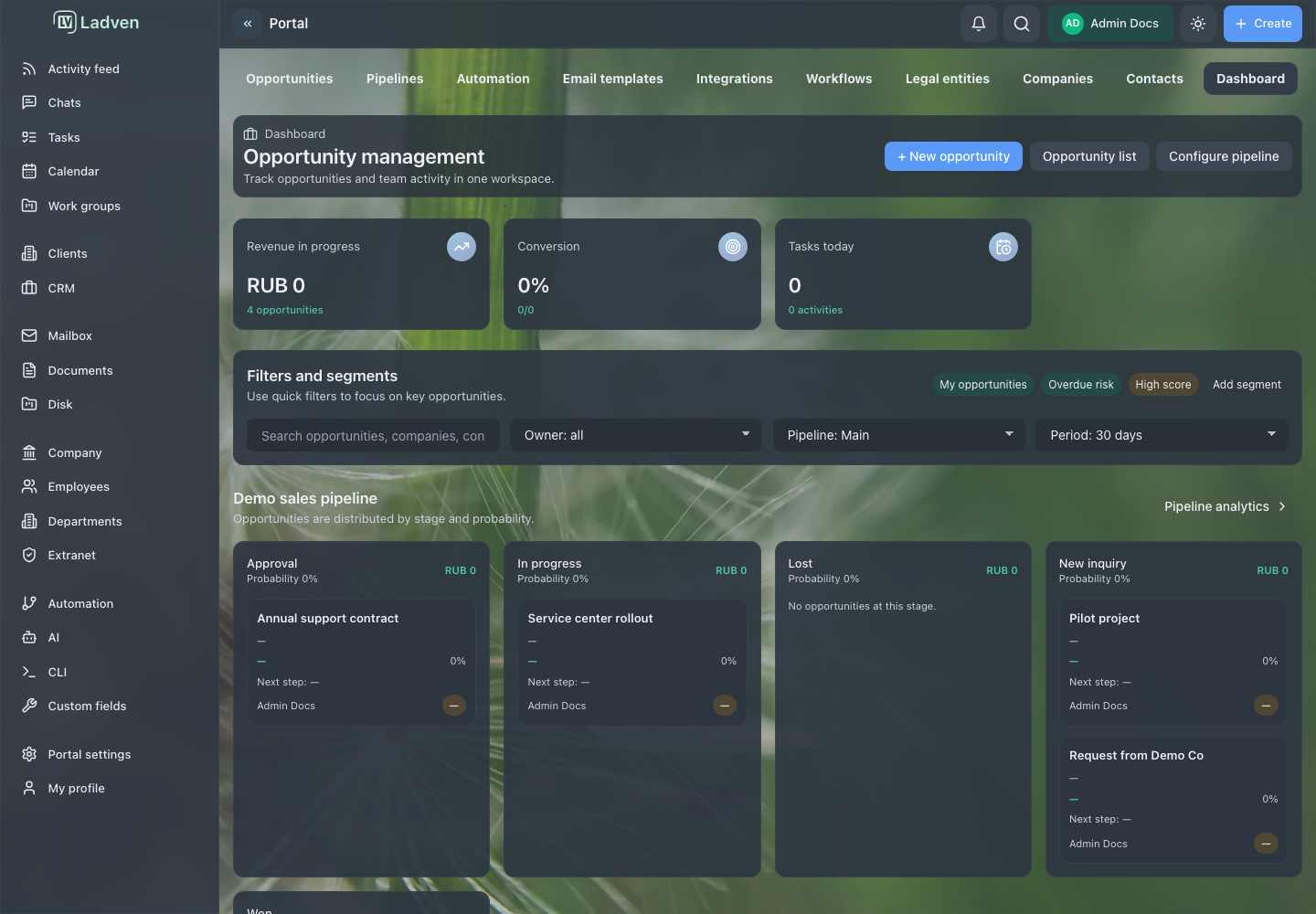
The dashboard pulls together the team picture: total value of deals in progress, conversion, tasks for today, and the distribution across stages. This is the manager's workplace — from here you can see who is overloaded, where work has stalled, and what needs intervention.
What the manager gets
- you can see what each sales rep is working on and what their workload is;
- every deal has an owner and a next step — nothing is left hanging;
- overdue items and deals with no movement are visible immediately, without manual reports;
- automation takes over reminders and the creation of routine tasks.
Where to start
- Deals and pipeline — the board, the deal card, owner, and next step.
- Tasks — creating, executing, and controlling tasks on a deal.
- Manager control and dashboard — regular control of the team.
- CRM robots — automatic task creation and reminders.
- Pipelines — stages and checks on transitions.
Request a demo
Want to see how a sales team is run on a ready demo portal with a pipeline, deals, and tasks? Request a demo — we'll show you a configured environment and help you move your own process onto it.