Auto service: repair orders, vehicles, work, and reminders
This page covers the operating loop of an auto service business: a customer submits a request, the service advisor records the vehicle and issue, the team diagnoses the problem, gets the work approved by the customer, attaches photos and documents, closes the order, and schedules a reminder for the next visit. LadVen OS helps manage requests, tasks, files, deadlines, and communication, but it does not replace dedicated spare-parts inventory accounting, a cash register or POS, VIN decoding, OBD integrations, or an industry DMS.
What problem it solves
In an auto service business, the work on the vehicle is often not the part that gets lost. The context around it gets lost: a customer wrote in a messenger, a damage photo stayed on a technician's phone, price approval happened in a private chat, a part is being waited for but no one sees the date, and the next maintenance reminder was never created.
The scenario solves this by turning every request into customer work with tasks, owners, dates, files, comments, and control stages. Customer and vehicle history stays next to the request, while the manager sees what is in diagnosis, approval, customer waiting, workshop work, and handover.
How it works in LadVen OS
The scenario is assembled from documented capabilities:
- Customers and vehicles — the customer card stores contacts, request history, linked tasks, and organizational vehicle details.
- CRM and stages — the request moves from first contact to diagnosis, approval, work, and handover.
- Tasks — diagnosis, material ordering, photo capture, customer calls, internal checks, and handover each get an owner and date.
- Files — photos, forms, estimates, correspondence, and working materials stay next to the task.
- Checklists — vehicle intake, diagnosis, approval, quality control, and handover are fixed in advance.
- Comments — technician questions, customer decisions, and manager notes remain in the history.
- Reminders — scheduled maintenance, a repeat inspection, or a control call becomes a dated task.
Requests, vehicles, and team work
Each request needs a clear route: who accepted the customer, which vehicle is involved, what the symptom is, which photos and documents are needed, who diagnoses it, who approves the work, who handles handover, and when the next contact is due. Tire service, diagnostics, suspension repair, body work, and scheduled maintenance can have different routes, but ownership must be visible.
If the customer changes priority, asks to add work, or moves the visit, the task is updated. If the technician finds an additional issue, it is recorded in a comment or a linked task. If the next maintenance reminder is needed, it does not stay in the administrator's memory — it becomes a task with a date.
Repair route and repeat service
Auto service work becomes manageable when the repair order is visible step by step: request received, vehicle accepted, symptoms and preferences recorded, photos taken, diagnosis assigned, diagnosis result recorded, work approved by the customer, responsible technician assigned, work moving by deadline, quality checked, handover prepared, result closed, and repeat visit or scheduled maintenance put under control.
Manual statuses can be enough for the operating loop: new request, waiting for vehicle, diagnosis scheduled, more information needed, waiting for approval, waiting for part, in workshop, quality check, ready for handover, handed over, next contact scheduled. This does not replace spare-parts inventory accounting or an industry DMS, but it gives the service advisor, technician, and manager one shared work context.
Exceptions should also become tasks: the customer did not bring the vehicle, added a new complaint, declined part of the work, extra payment must be approved, a part is delayed, a result photo is needed, the technician found a safety risk, the customer asks to move handover, or a repeat diagnosis reminder is needed. Each case has an owner, date, comment, and file when necessary, not a verbal agreement in a private chat.
Files, checklists, and approval
An auto service team needs the materials next to the work: photos before repair, photos after repair, intake forms, the approved work list, technician comments, customer documents, and internal checks. When these live in separate chats, the service risks arguing about which agreement was current or missing the next step.
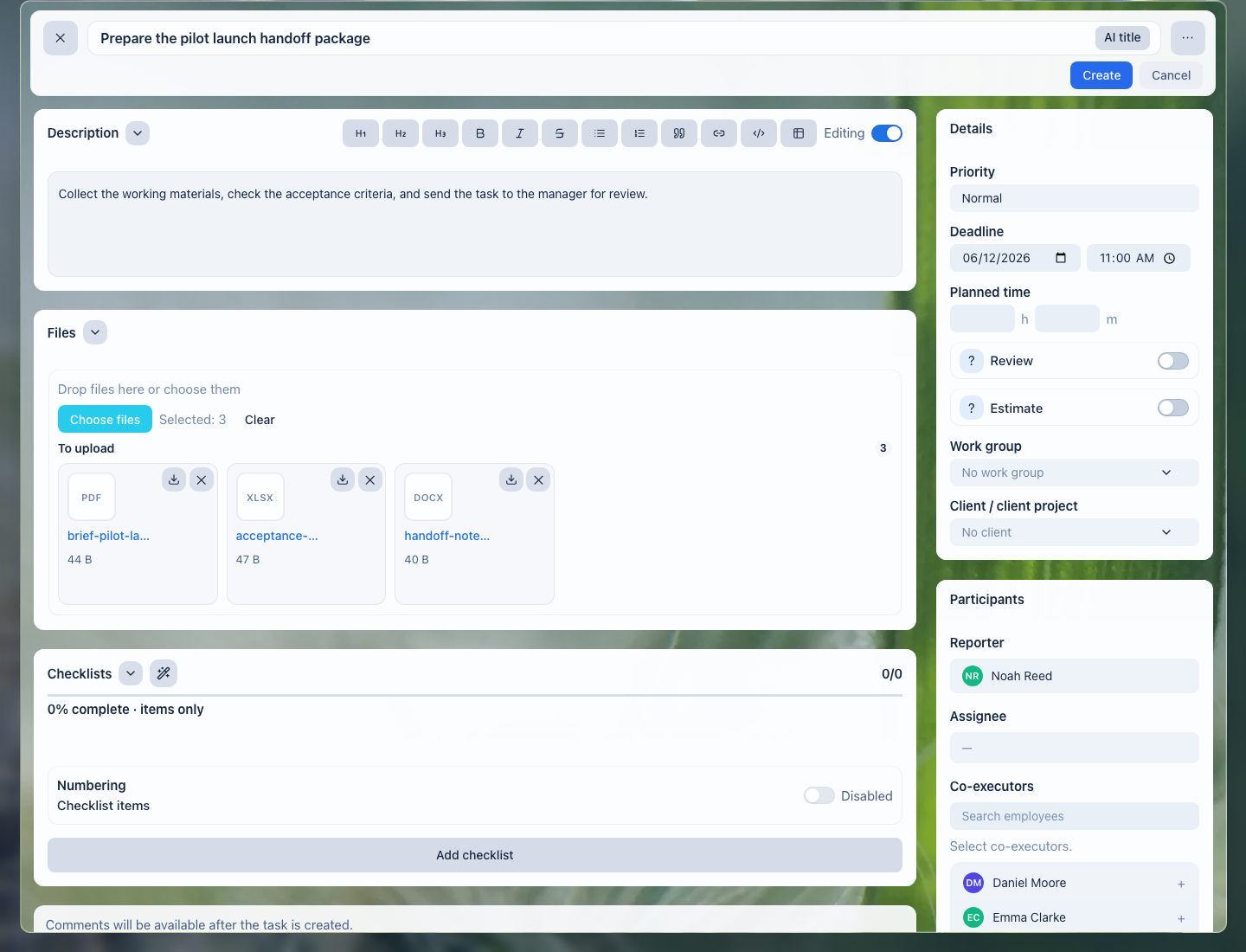
Files stay next to the request: the service advisor, technician, and manager see one shared set of materials.
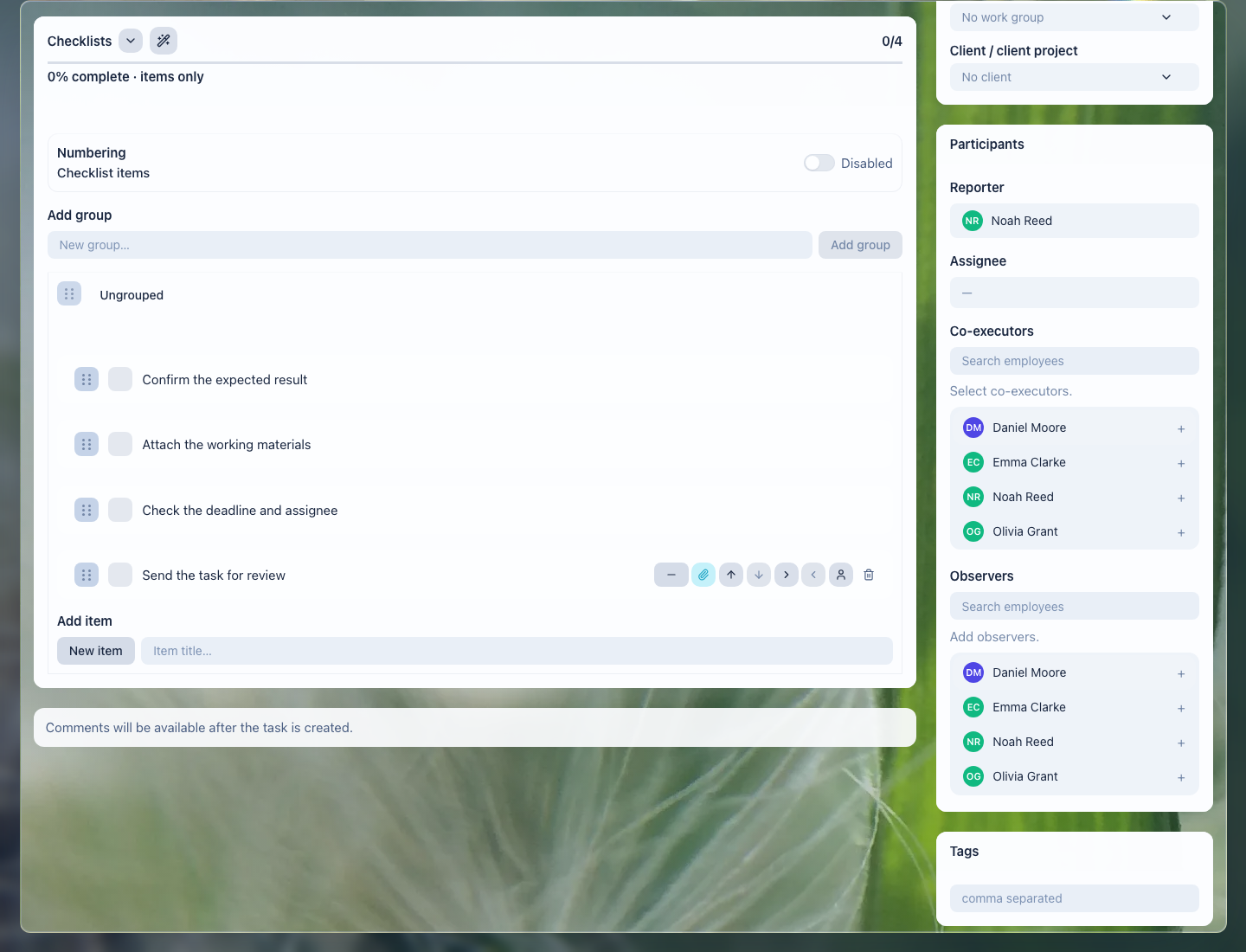
The checklist helps the team pass intake, diagnosis, approval, work, quality control, and handover without missed steps.
What the auto service gets
- each request shows who owns it, the next step, and the deadline;
- photos and documents stop being scattered across phones, email, and chats;
- work approvals and reasons for changes remain in the history;
- the manager sees stuck requests, customer waiting, and team load;
- repeat visits and scheduled maintenance no longer depend on employee memory.
Implementation checklist
- Split common request types: diagnostics, scheduled maintenance, urgent repair, body work, tire service, repeat visit.
- Define request fields: customer, vehicle, symptom, desired date, owner, stage, documents, and photos.
- Create task templates for diagnosis, approval, work, quality check, and handover.
- Add checklists: vehicle accepted, photos taken, work approved, result checked, next contact scheduled.
- Configure manager views: new requests, waiting for customer, waiting for part, in progress, ready for handover, overdue.
- Decide separately where spare-parts inventory accounting is managed: LadVen OS can manage the request, tasks, approvals, manual statuses, files, and reminders, while inventory accounting needs a separate process or narrow early access.
What to avoid
- Do not present spare-parts inventory, cash register, VIN decoding, or OBD integrations as ready parts of this scenario.
- Do not use a manual task status as a replacement for spare-parts inventory accounting, POS, or an industry DMS.
- Do not keep photos and approvals only in employees' private chats.
- Do not close a request without a result, final comment, or next step.
- Do not mix internal technician notes and customer messages without access control.
- Do not leave repeat maintenance or a control call as a verbal agreement.
How to measure the result
- share of requests where the next step is scheduled before the work is closed;
- number of requests waiting for the customer, a part, or an internal check;
- number of disputes caused by lost photos, documents, or approvals;
- average time from request to diagnosis and from approval to handover;
- share of customers who received a reminder for a repeat visit or scheduled maintenance.
Where to start
- CRM customers — store contacts, request history, and organizational vehicle details.
- Deals and requests — manage request stages from first contact to handover.
- CRM pipelines — separate new requests, diagnosis, approval, work, and handover.
- Incoming request forms — collect website requests and pass them to CRM without manual copying.
- CRM, task, and document links — connect the customer, vehicle, files, and work tasks.
- Create a task — create diagnosis, call, check, or handover work with an owner and date.
- Task fields and work context — record the vehicle, symptom, result, and next step.
- Task files — keep photos, documents, and work materials next to the request.
- Task checklist — check intake, approval, work, and handover.
- Task comments — record questions, customer decisions, and internal notes.
- Task templates and automation — repeat common stages and reminders without rebuilding them manually.
- Task lists and views — control deadlines, waiting states, and team load.
- Review and close a task — accept the result, final comment, and next contact.
- Calendar — see visits, calls, and available work windows.
- Recurring tasks — create maintenance reminders and control calls.
- CRM robots — trigger typical actions when a request stage changes.
- Task rules — prevent closing work without a check or result file.
- Documents — keep contracts, acts, and work materials next to the process.
- Extranet client portal — give customers safe access to status and documents where needed.
Request a demo
Want to see how auto service requests, vehicles, work, photos, and reminders look in a prepared demo portal? Request a demo — we will show the scenario on safe demo data and discuss whether early access to spare-parts accounting is relevant for you.