Translation bureau: orders, files, performers, and deadlines
This page describes the working loop of a translation bureau: the client sends source files, the manager confirms language and deadline, the translator receives a task, the editor checks the result, and the client accepts the final version. LadVen OS does not replace a CAT/TMS platform, translation memory, automated translation engines, or legal certification of a translation. It keeps the order, files, owners, comments, and deadlines in one place.
What problem it solves
In translation projects, the text itself is often not what gets lost; order management is. The source file arrives by email, client requirements stay in a chat, the translator receives a verbal clarification, the editor does not see the latest version, and the manager learns about the deadline risk only on the delivery day.
The scenario solves this by turning each order into a task or task chain: source files and versions are attached next to the work, language pair and deadline are visible to every participant, and review plus acceptance follow a checklist.
How it works in LadVen OS
The scenario is assembled from already documented capabilities:
- Clients and orders — the client card keeps contacts, history, and linked tasks.
- Tasks — translation, editing, formatting, review, and delivery get an owner and deadline.
- Files — source files, reference materials, working versions, and final files stay next to the task.
- Checklists — translation requirements, format, terminology review, and final delivery are agreed in advance.
- Comments — client clarifications, translator questions, and editor decisions remain in the history.
- Lists and control — leadership sees active orders, client waiting states, overdue work, and performer workload.
Incoming order and result requirements
An order should quickly turn from an email or message into a clear work card: client, language pair, source file, result format, deadline, responsible manager, and next step. If a glossary, previous versions, formatting requirements, or legal certification are needed, it is better to record that immediately instead of leaving it in correspondence.
For urgent orders, it helps to separate confirmed requirements from preliminary expectations. If the client has not yet sent the full file, confirmed the language, or approved the delivery format, the task should show waiting for client and deadline risk rather than look like normal work in progress.
Roles, quality, and handoff between stages
A translation bureau needs visibility not only into the translator but into the whole quality path: the manager accepts the order, the translator prepares the working version, the editor or proofreader checks the result, the layout specialist brings the file to the required format, and the client accepts the final version as an operational task handoff. One person can combine roles, but responsibility at each step should be explicit.
When the result returns for rework, the reason should stay next to the file: terminology, formatting, incomplete source, editor comment, or a new client requirement. Then the next performer sees not just a return status, but the concrete action to take.
Templates, automation, and leadership control
Common orders are easier to run through task templates: translation, editing, layout, review, final delivery. A template can include required files, language pair, quality checklist, final comment, and the rule "do not close without the result file".
Leadership needs separate views: "waiting for client", "in editing", "missing file", "due today", "overdue", and "no movement". Automation rules can remind the owner about a deadline or escalate a risk to the manager, but they do not replace professional translation review.
Orders, language pairs, and performers
Every order needs a clear route: what text is translated, from which language to which language, who translates, who checks, which client requirements are mandatory, and when delivery is due. A short certificate, contract, website, presentation, or document package can follow different routes, but ownership must stay visible.
When the client sends a new file or changes requirements, the task is updated. When the translator asks a question, the answer is recorded in the comments. When the editor returns the result for rework, the reason stays in the history and the next step is visible to the performer.
Files, checklists, and acceptance
A translation order almost always depends on files: source, glossary, previous versions, reference materials, and final document. If those files are scattered across email and private folders, the team can translate the wrong file or send the wrong version to the client.
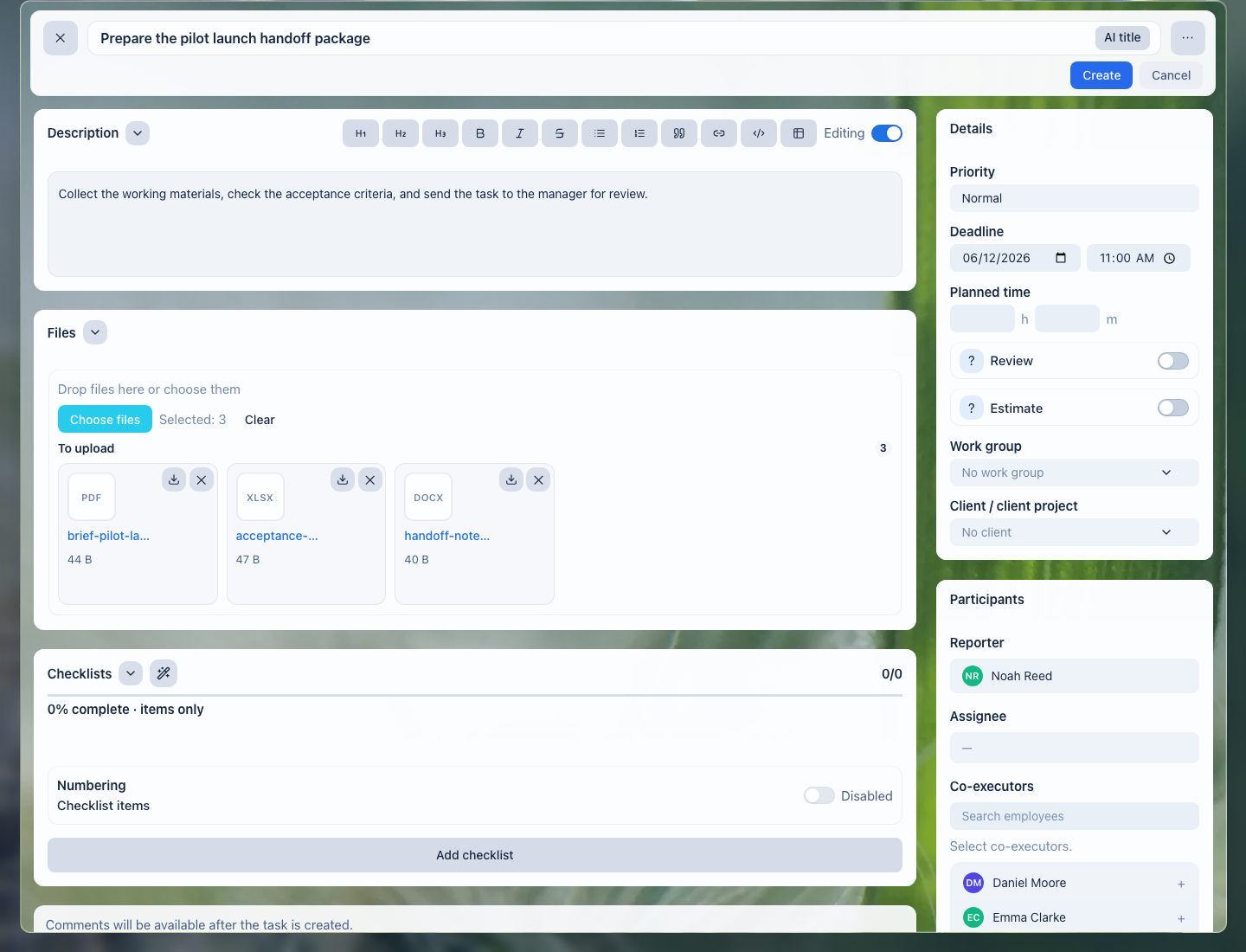
Files stay next to the order: the manager, translator, editor, and substitute colleague see the same material set.
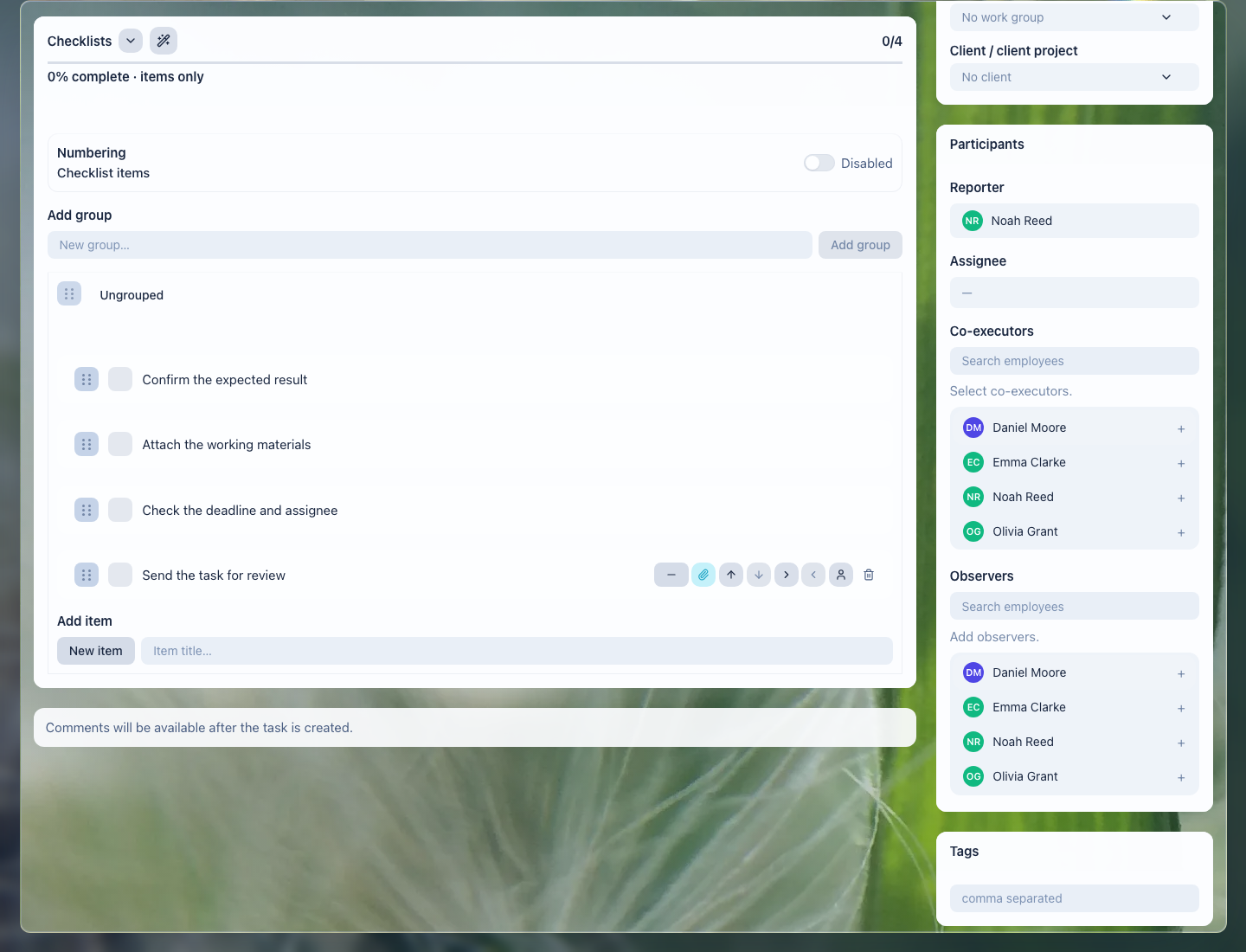
The checklist helps verify the language pair, client requirements, result file, editing, and final comment in advance.
What the translation bureau gets
- every order shows who owns it, the deadline, and what is still not ready;
- source files, reference materials, and final versions are not lost between channels;
- translator questions and client decisions stay in history;
- editing and final review follow a checklist;
- leadership sees overdue work, client waiting states, and team workload.
Implementation checklist
- Separate common order types: document, contract, website, presentation, file package, urgent translation.
- Define required fields: client, language pair, deadline, output format, owner, editor.
- Create task templates for translation, editing, formatting, review, and delivery.
- Agree how source files, working versions, and final files are named.
- Configure manager views: urgent, waiting for client, in editing, due today, overdue.
- Check access: client files, internal comments, and versions should be visible only to the right participants.
What to avoid
- Do not accept client requirements only in a private chat.
- Do not store final versions without a link to the order and task.
- Do not close the order without a result file or delivery comment.
- Do not promise automatic translation memory, automated translation output, or legal certification unless it is handled by a separate configured process.
- Do not mix editor's internal notes and client-facing messages without access control.
How to measure the result
- share of orders delivered on time;
- number of orders waiting for the client, translator, or editor;
- number of returns caused by a wrong file version or incomplete requirements;
- time needed to find the current source, glossary, or final file;
- translator and editor workload by active tasks.
Where to start
- CRM clients — keep contacts and order history.
- Deals and requests — manage preparation and delivery stages without losing ownership.
- CRM, task, and document links — connect the order, files, and work assignments.
- Create a task — set up translation, editing, or delivery with owner and deadline.
- Task fields and work context — connect the work to the client, language pair, file, and result.
- Task checklist — verify requirements, editing, and result readiness.
- Task files — keep sources, glossaries, and final versions next to the work.
- Task comments — record questions, answers, and decisions.
- Task templates and automation — repeat typical stages without manual assembly.
- Task lists and views — control deadlines, performers, and client waiting states.
- Review and close a task — accept the result without losing a file or readiness criterion.
Request a demo
Want to see translation-bureau orders, files, performers, and deadlines on a prepared demo portal? Request a demo — we will show the scenario on safe demo data and help assemble the first order workflow.