Dental practices and clinics: visits, tasks, documents, and follow-ups
This page describes the operational loop of a dental practice or small clinic: patient appointment, visit preparation, consent forms and documents, administrator and clinician tasks, reminders, and follow-ups. LadVen OS keeps the organizational work around the patient in one place, but it does not replace a clinical medical information system, electronic health record, medical history, diagnoses, prescriptions, or regulated medical registries.
What problem it solves
In a clinic, the weak point is often not the treatment itself, but the coordination around it. The patient books a visit, but the administrator does not check documents. A clinician asks for an image or material to be prepared, but the request stays in chat. After the visit, someone needs to remind the patient about a follow-up, but that reminder lives in an employee's memory.
The scenario solves this by recording appointments, preparation, documents, internal assignments, and follow-up as tasks with owners, dates, files, and checklists. Clinical records stay in the dedicated medical system; LadVen OS manages the team's work around them.
How it works in LadVen OS
The scenario is assembled from already documented capabilities:
- Clients and requests — the patient as a client has contacts, organizational history, linked tasks, and non-clinical documents.
- Tasks — room preparation, document request, plan approval, patient call, and follow-up visit get an owner and deadline.
- Calendar — appointments, calls, and internal meetings are visible in the team's shared schedule.
- Files — consent forms, questionnaires, instructions, administrative documents, and safe attachments stay next to the task.
- Checklists — visit preparation, document checks, handouts, and follow-up steps are agreed in advance.
- Comments — administrator clarifications, manager decisions, and operational notes remain in history.
Visits, patients, and the team
Every visit needs a clear route: who booked the patient, which documents are needed before the visit, what should be prepared, who owns the room, who calls after the visit, and when the next contact is due. A first visit, procedure, consultation, and follow-up can follow different routes, but ownership must stay visible.
When the patient reschedules, the task is updated. When a clinician asks for a material or document, the assignment is recorded next to the visit. When the patient needs a reminder, it becomes a dated task instead of a private note.
Files, checklists, and reminders
Even without clinical records, a clinic has many operational documents: consent forms, questionnaires, handouts, agreements, internal instructions, and non-sensitive process photos. They should not live in private chats; they should stay next to the task where the next step is visible.
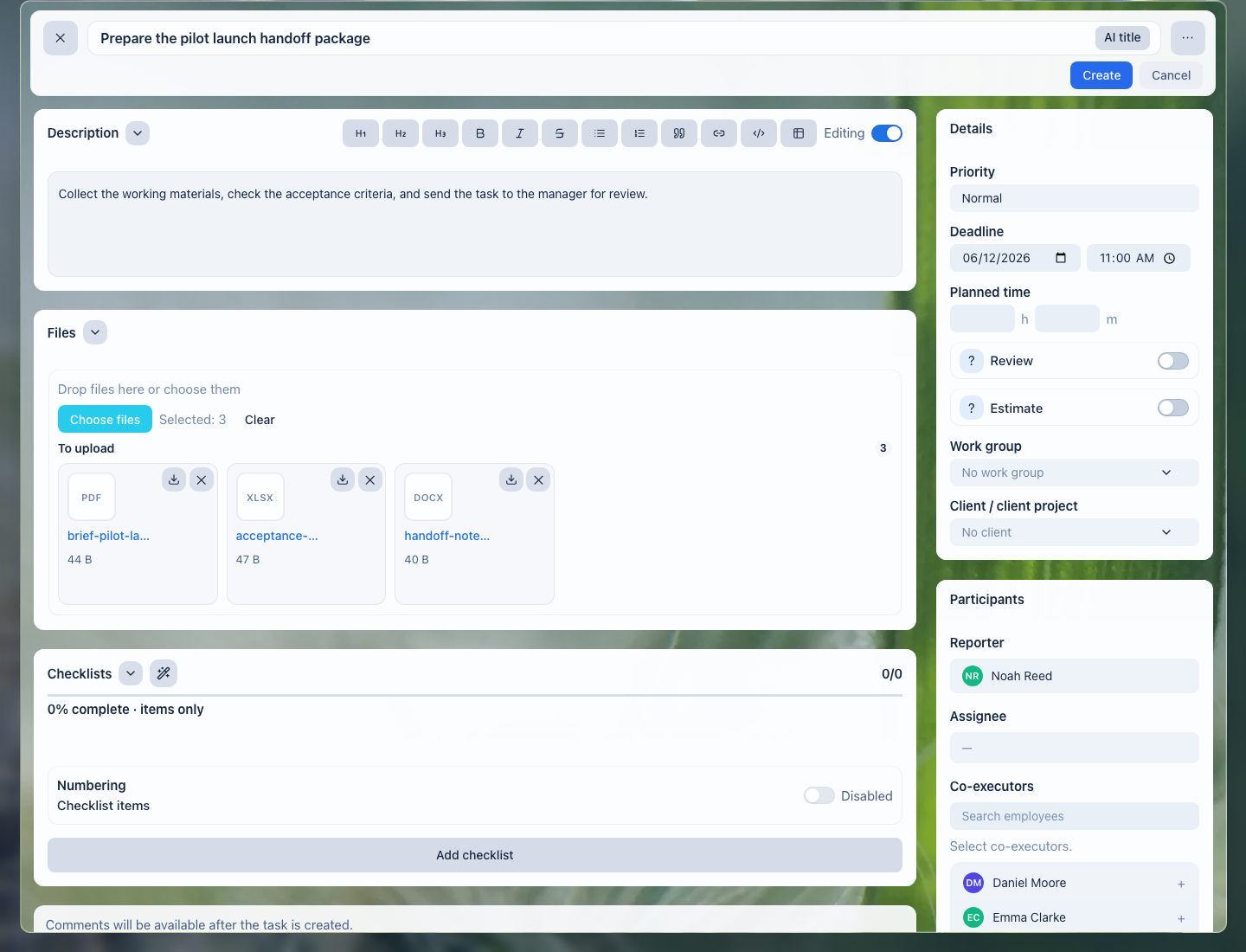
Files stay next to the work: the administrator, clinician, and manager see the same organizational material set.
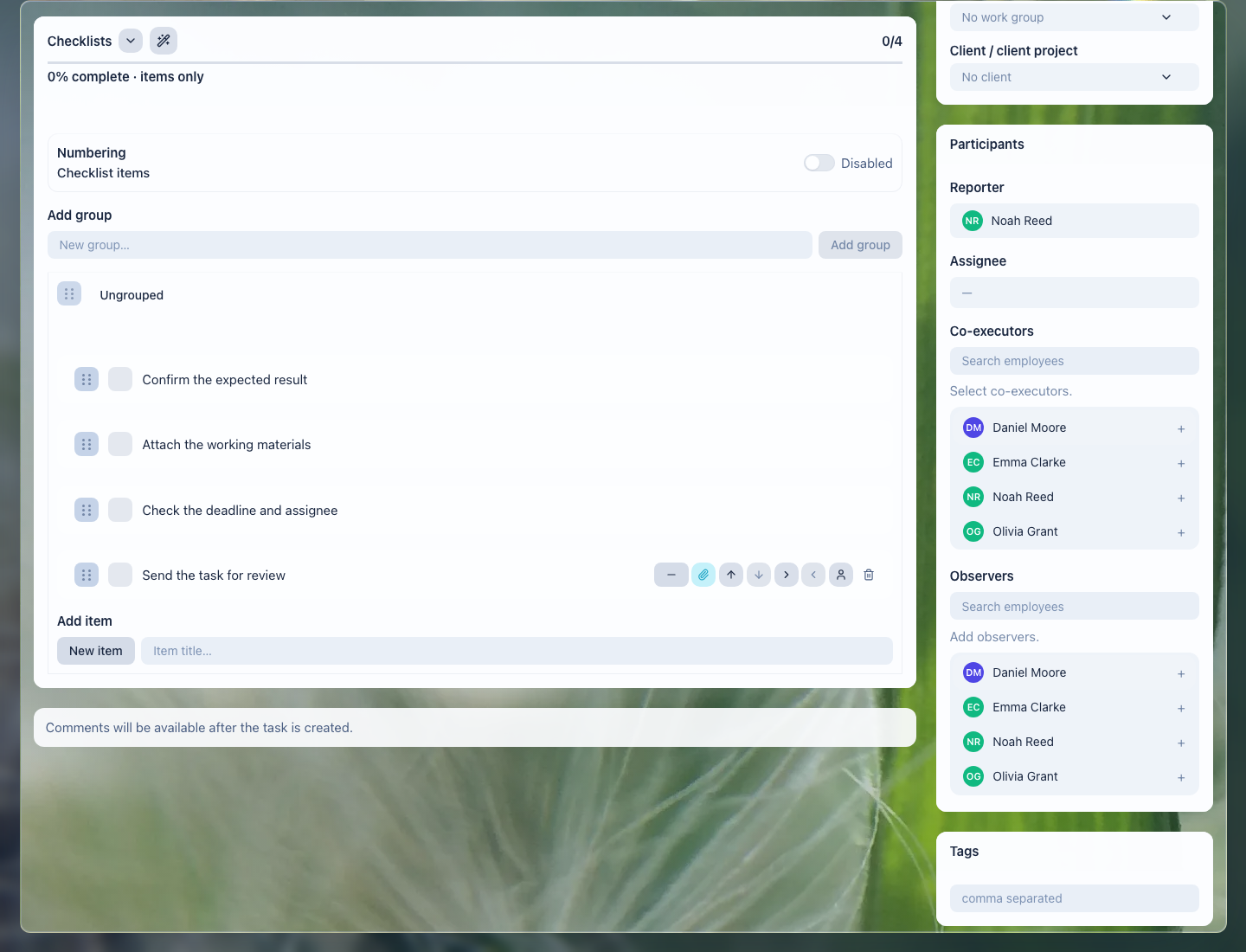
The checklist helps verify documents, preparation, final comment, and the follow-up task.
What the clinic gets
- every visit shows who owns preparation and the next contact;
- administrators do not keep follow-up calls and reminders in memory;
- organizational documents are not lost between email, chats, and local folders;
- leadership sees overdue work, patient waiting states, and stalled tasks;
- handoff is safer because a colleague sees the history, files, and next step.
Implementation checklist
- Separate common scenarios: first visit, consultation, procedure, control visit, follow-up call.
- Define what can be kept in LadVen OS and what must stay only in the dedicated medical system.
- Create task templates for visit preparation, documents, follow-up, and repeat visits.
- Add checklists: documents received, room ready, handout sent, next contact scheduled.
- Configure manager views: today, tomorrow, waiting for patient, overdue, no follow-up.
- Check access: sensitive data and internal comments should be visible only to the right employees.
What to avoid
- Do not use LadVen OS as a replacement for a medical record, medical history, diagnoses, or prescriptions.
- Do not store sensitive clinical data in tasks if it belongs in a dedicated medical system.
- Do not leave a repeat visit or call as an oral agreement only.
- Do not close visit preparation without a clear next step.
- Do not expose patient documents to employees who do not need them for their work.
How to measure the result
- share of visits prepared before the appointment without urgent clarification;
- number of tasks waiting for the patient, clinician, or administrator;
- number of missed follow-up contacts;
- time needed to find the right organizational document;
- share of visits where the next step is assigned before the task is closed.
Where to start
- CRM clients — keep contacts and organizational request history.
- Deals and requests — manage booking, preparation, and follow-up stages without losing ownership.
- Calendar — see appointments, calls, and team availability.
- Create a task — set up visit preparation, a call, or follow-up with owner and deadline.
- Task fields and work context — connect the work to the patient as a client, a document, and expected result.
- Task checklist — verify preparation, documents, and the next step.
- Task files — keep organizational materials next to the work.
- Task comments — record clarifications and decisions without losing context.
- Task templates and automation — repeat follow-ups and common preparations without manual setup.
- Task lists and views — control deadlines, patient waiting states, and workload.
- Review and close a task — accept the organizational result without losing the next step.
Request a demo
Want to see visits, documents, team tasks, and follow-ups on a prepared demo portal? Request a demo — we will show the scenario on safe demo data and discuss which clinical capabilities should be developed through early access.